
This video is a walkthrough of client management in OneSuite. Watch it when you’d rather see the Clients module in action than read about it, then use the written guides for step-by-step detail.
In this guide you’ll learn how to:
- Open the client management video walkthrough
- Find the written guides that go with it
- Choose where to go next in Client Management
Where is the client management video?
The video is on YouTube, and you can open it from the link below.
Watch: Video Documentation: Client Management
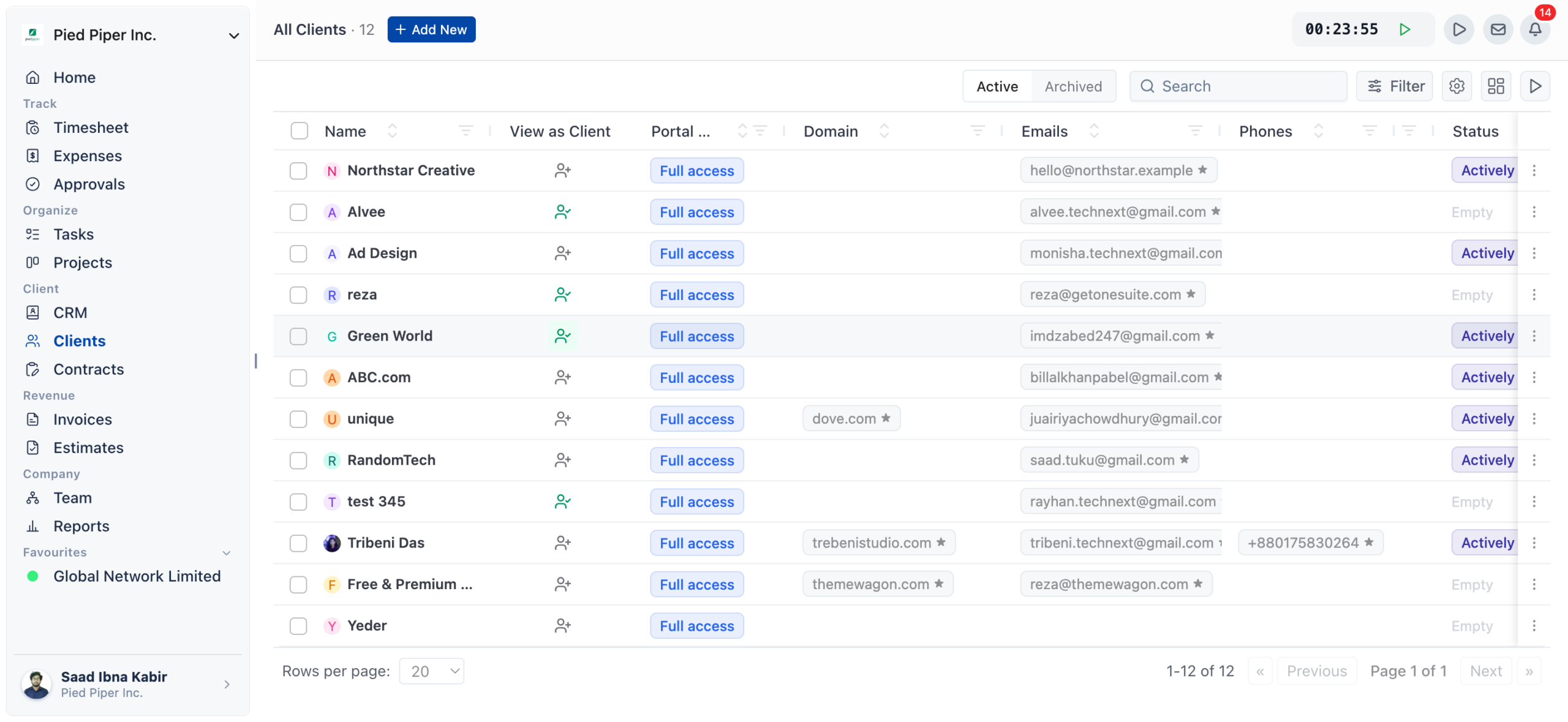
How to use this video with the written guides
Watch the walkthrough first for an overview, then open the written guide for the task you want to do.
- Watch the video to see the Clients module in use.
- Open the matching written guide from What to do next below.
- Follow its numbered steps in your own OneSuite workspace.
Not using OneSuite yet? Start your free trial →
FAQs
Is there a video on how to manage clients in OneSuite?
Yes, this page links to a video walkthrough of client management in OneSuite on YouTube.
Where can I watch the client management video?
Click the Watch link on this page to open it on YouTube.
Are there written guides for client management?
Yes, the Client Management guides, such as Adding Clients and Client Profiles, explain the module in written steps.
Can I read the written guides instead of watching the video?
Yes, the written guides stand on their own. Use whichever suits you, or watch the video first and keep a guide open while you work.
What to do next
Learn the basics: See what the module is for with Understanding the Clients Solution.
Add your first client: Create a client record step by step with Adding Clients.
Give clients a login: Invite clients to their own portal with The OneSuite Client Portal.