
Connect your Microsoft account to OneSuite in under 2 minutes. Once connected, you can send, receive, and track emails from everything in OneSuite
Before you start
- You need a Microsoft 365 or Outlook.com account
- Permission to grant third-party app access (some organizations restrict this; check with your IT admin if the authorization step fails)
How to connect Outlook to OneSuite
- Go to Settings by clicking Settings in the bottom-left corner of the sidebar.
- Click Integrations to expand the submenu. Followed by clicking the Email Inbox.
- Click + Add Email.
- Find the Microsoft card and click Connect Account.
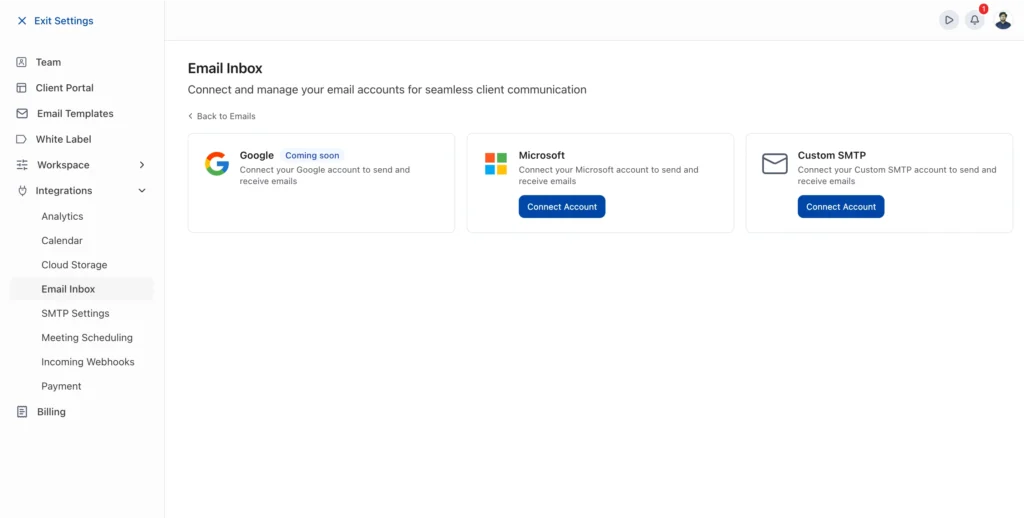
5. A dialog appears: “Connect with Microsoft.” You’ll see a checkbox: “Import all contacts into your CRM (People & Companies).” Leave it checked to import contacts, or uncheck to skip.
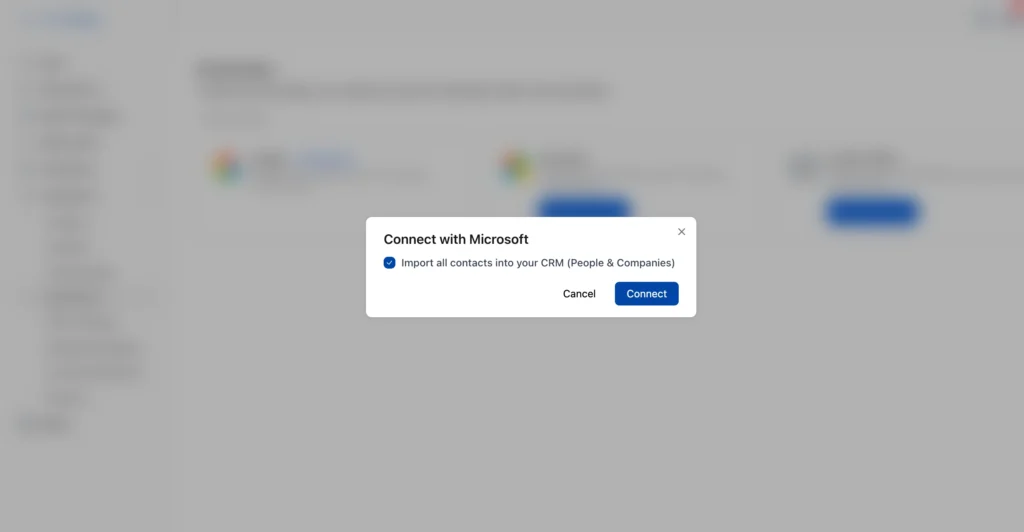
6. Click Connect. You’ll be redirected to Microsoft’s sign-in page.
Pick your Microsoft account and grant the requested permissions.
Microsoft redirects you back to OneSuite. Your account appears in the Connected Email Accounts table with status “importing emails…”
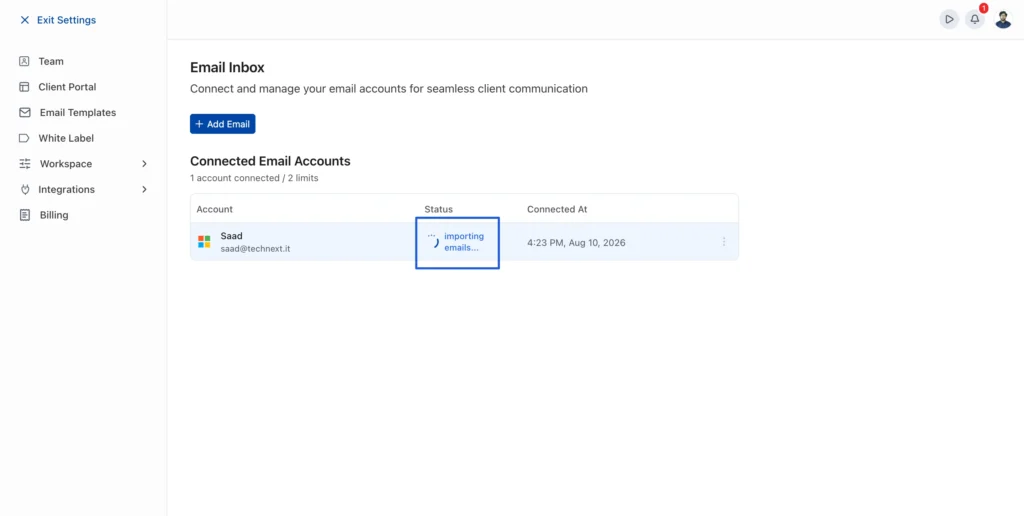
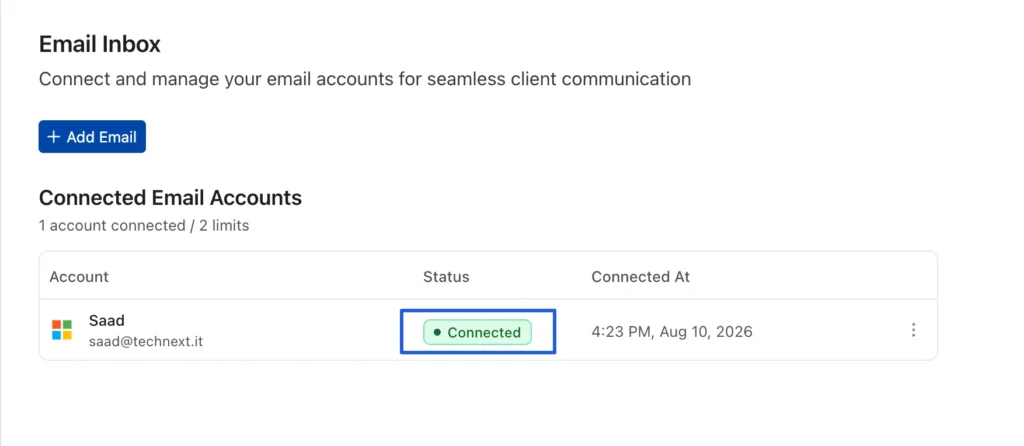
Wait for the status to change to “● Connected” (usually a few minutes).
How to verify your connection works
- Click Exit Settings to return to the main app.
- Click Email in the sidebar. Your contacts should appear.
- Open any People, Company, Opportunity, or Client record → click the Emails tab → click Compose. Your Outlook address should appear in the From field.
If you see your email address, you’re ready to send. Head to Send and Receive Emails to learn about composing, templates, and scheduling.
What happens when you import contacts
- OneSuite imports your recent email contacts into the People section of your CRM
- Company records are created automatically when a contact belongs to an organization
- Import is a one-time action during setup; it does not continuously sync new contacts
Account limits
Each workspace supports up to 2 connected email accounts. The settings page shows your count (e.g., “1 account connected / 2 limits”).
How to disconnect your Outlook account
- Go to Settings → Integrations → Email Inbox.
- Find your account in the Connected Email Accounts table.
- Click the three-dot menu (⋮) next to your account.
- Click Disconnect.
A confirmation dialog appears: “Disconnect Email Account” with the warning: *”Are you sure you want to disconnect this email account? This action cannot be undone. You will need to reconnect the account to use it again.”*
Click Disconnect (red button) to confirm, or Cancel to keep the connection.
After disconnecting, the table shows “0 accounts connected / 2 limits” and “No email connected.”
Troubleshooting
- Microsoft sign-in fails or shows “access denied”
Your organization may restrict third-party app access. Ask your IT admin to allow OneSuite, or try a personal Outlook.com account. - Status stays on “importing emails…” for over 30 minutes
Refresh the page. If it persists, contact support. - I don’t see the Emails tab on records
The Emails tab appears on individual People, Companies, Opportunities, and Client records, not on list views. Open a specific record to see the tab.
Not using OneSuite yet? Start your free trial →
FAQs
Can I reconnect after disconnecting?
Yes. Click + Add Email and go through the Microsoft connection flow again. Note that disconnecting cannot be undone: you’ll need to re-authorize and re-import contacts if needed.
Can I connect both a personal and a work Outlook account?
Yes, as long as you haven’t reached the 2-account limit.
Does disconnecting delete my imported contacts?
No. People and Company records created during import remain in your CRM.
What to do next
Send your first email: Learn how to compose, reply, schedule, and attach files in Send and Receive Emails.
Set up templates: Create reusable email templates with dynamic fields in Create and Use Email Templates.
Organize your CRM: Learn how Opportunities, Companies, and People Work Together to get the most from your imported contacts.