
The Customize panel, opened from the All Projects list, is where you manage the shared resources every project in your workspace can draw from. You define Project Templates, Task Templates, Categories and Tags once here, so every new project starts from a consistent foundation instead of being rebuilt from scratch.
In this guide you’ll learn how to:
- Open the Customize panel from the All Projects list
- Use Project Templates to start repeatable work
- Build Task Templates for sets of tasks and subtasks
- Set up the Categories and Tags your workspace uses to classify tasks
How to open the Customize panel
You open it by clicking Customize at the top of the All Projects list.
- Click Projects in the left sidebar.
- Click Customize at the top of the All Projects list.
- A panel opens with four rows: Project Templates, Task Templates, Categories and Tags. Each row ends in a right-facing arrow that opens its own sub-panel.
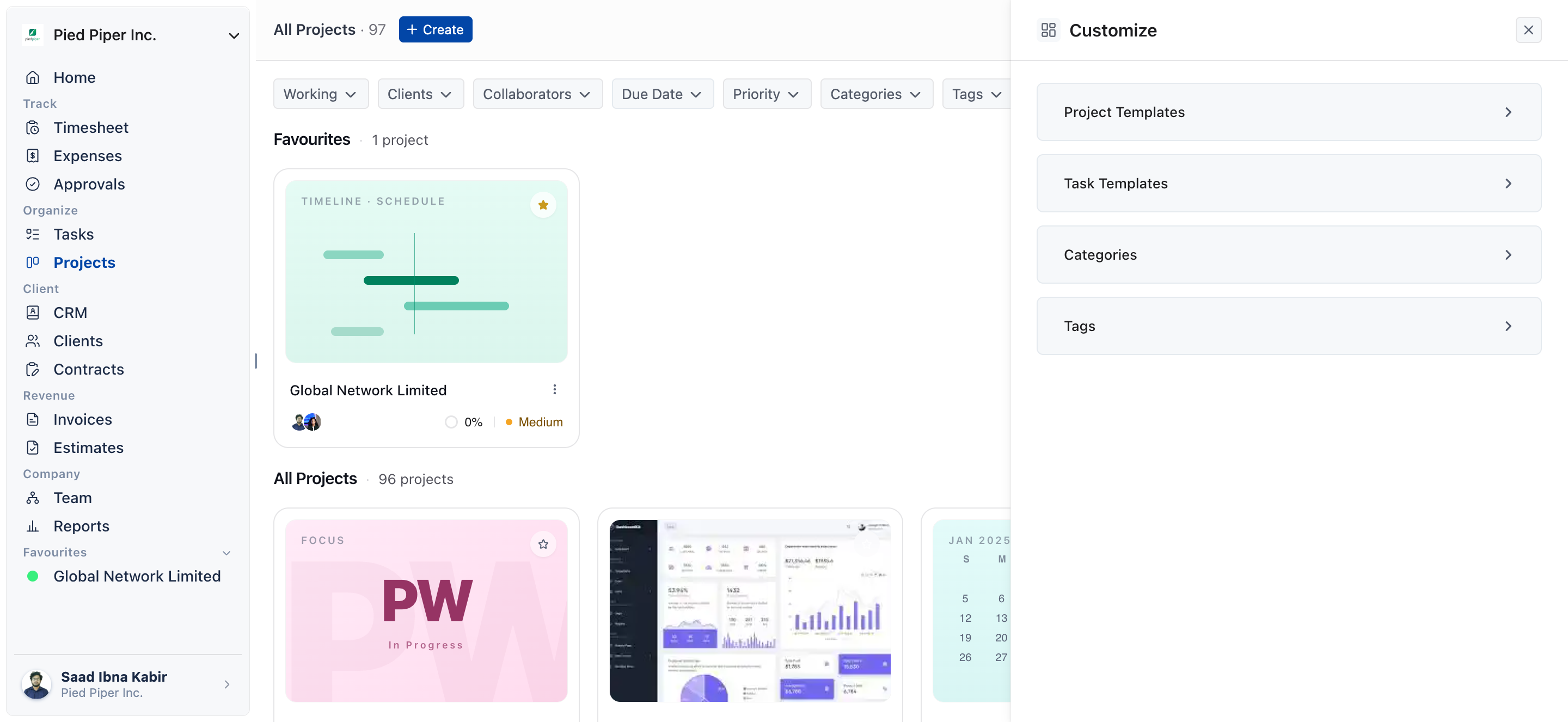
What are the four Customize options?
Each row manages one shared resource for the whole workspace.
| Option | What it does |
|---|---|
| Project Templates | Starts repeatable work without rebuilding the same structure every time. You can create templates with predefined tasks, workflows, custom fields and project structures. |
| Task Templates | Handles individual task-and-subtask sets, where Project Templates set up an entire project. |
| Categories | The master list your workspace uses to classify tasks: the stages or groupings that reflect how your agency tracks progress. |
| Tags | Work the same way as Categories, but are meant for flexible, cross-cutting labeling rather than fixed stages. |
How do Project Templates help?
Project templates let you begin with everything already organized. Pick the right template, and your team moves faster while following the same process every time.
- Create a template with the predefined tasks, workflows, custom fields and project structure your work needs.
- Once the template is ready, your team can use it whenever they start a similar project.
How to use Task Templates
A task template saves a primary task and its subtasks so you can import them into any project.
- Open Task Templates in the Customize panel.
- Give the template a name.
- Add a primary task with subtasks.
- Drag the subtasks into the order they should be completed.
- Save the template.
- To use it, open any project’s Kanban or List view and choose Import Tasks from Templates from the three-dot menu.
How to set up Categories and Tags
You define Categories and Tags once at the workspace level, and projects draw on them.
- Categories: create the stages or groupings that match how your agency tracks progress.
- Tags: create your own customized tags or use the default ones.
Note: individual projects can still apply their own Custom Labels for one-off, project-specific shorthand.
Not using OneSuite yet? Start your free trial →
FAQs
Where is the Customize button for projects in OneSuite?
It sits at the top of the All Projects list. Click Projects in the left sidebar, then click Customize to open the panel.
What is the difference between Project Templates and Task Templates?
Project Templates set up an entire project, while Task Templates handle individual task-and-subtask sets. You import a task template into an existing project’s Kanban or List view.
What is the difference between Categories and Tags?
Categories are the master list of stages or groupings used to classify tasks. Tags work the same way but are meant for flexible, cross-cutting labeling rather than fixed stages.
Can a single project have its own labels?
Yes. Individual projects can apply their own Custom Labels for one-off, project-specific shorthand, alongside the workspace Categories and Tags.
Can I just set up each project by hand instead?
You can, but you rebuild the same structure and vocabulary on every new engagement. Defining templates, Categories and Tags once in Customize gives every project the same starting point.
What to do next
Build a reusable project: Save a project’s structure for later with Project Templates.
Create reusable task sets: Set up primary tasks and subtasks with Task Templates.
Organize your tasks: Learn how classification works with Custom Categories, Tags, and Labels in Projects.