
Custom fields let you add the exact details your team needs inside a project. They are project-level attributes you define yourself, so every task is organized the way your agency thinks about work, not the way a generic template assumes you do.
In this guide you’ll learn how to:
- Add a custom field to a project
- Choose from the nine custom field types
- Use custom fields in project templates
How to add a custom field to a project
You add a custom field from the project’s Customize panel, under Custom Fields.
- Open the project.
- Click Customize.
- Open Custom Fields.
- Add a new field.
Set your fields up once, early in a project. Every task you create afterward can then pull from the same consistent set of options.
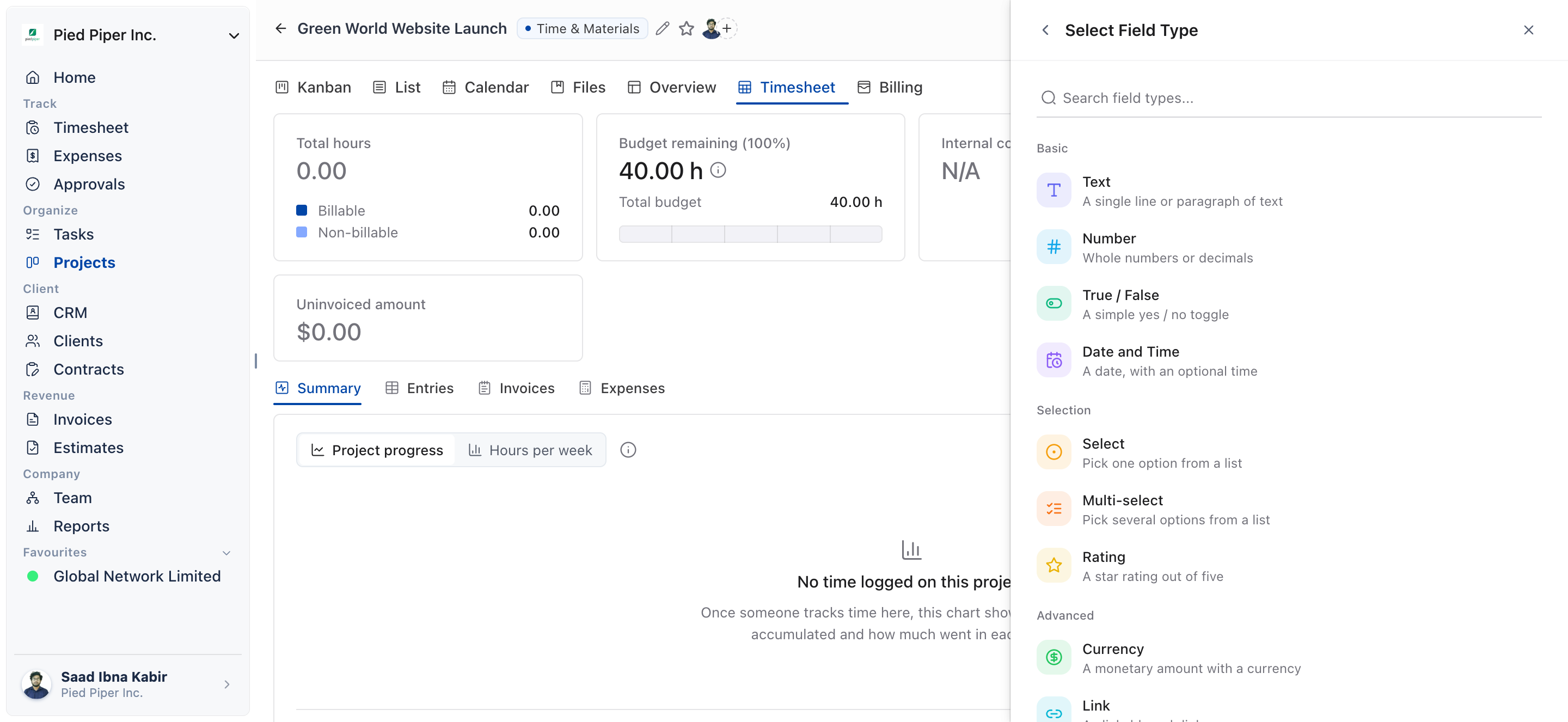
Which custom field types does OneSuite support?
OneSuite supports nine custom field types.
- Text
- Number
- True / False
- Date
- Select
- Multi-select
- Rating
- Currency
- Link
What can I track with custom fields?
You can track any project-specific information your team relies on. Examples include:
- Priorities
- Budgets
- Approval status
- Campaign channels
- Sprint points
- Client links
How to reuse custom fields with project templates
Custom fields can be added to individual projects or included inside project templates for repeated use. When a template includes them, every project created from it starts with the same structure, fields and information your team already depends on.
Not using OneSuite yet? Start your free trial →
FAQs
How do I add a custom field to a project in OneSuite?
Open the project, click Customize, open Custom Fields, then add a new field.
How many custom field types does OneSuite have?
OneSuite supports nine custom field types: Text, Number, True / False, Date, Select, Multi-select, Rating, Currency and Link.
Can I add custom fields to a project template?
Yes. Custom fields can be included inside project templates, so every project created from the template starts with the same fields.
When should I set up custom fields?
Set them up once, early in a project. Every task you create afterward can then pull from the same consistent set of options.
Can I just write these details in the task description instead?
You can, but free text is hard to keep consistent across tasks. Custom fields give every task the same set of options, such as a Select list or a Currency value.
What to do next
Reuse your fields: Include custom fields in a reusable setup with Project Templates.
Label your work: Add categories, tags and labels with Custom Categories, Tags, and Labels in Projects.
Track budgets properly: Set project rates and budgets with How to Set Up Project Billing and Budgets.