
The CRM solution uses three record types that connect automatically. Understanding how opportunities, companies, and people link together helps you track relationships and sales progress without duplicate data entry.
In this guide you’ll learn:
- What each record type stores
- How the three types can work together
- When you need companies vs. when people alone work fine
- The standard B2B agency scenario
- How conversion to clients works differently based on structure
The Three Record Types #
Opportunities #
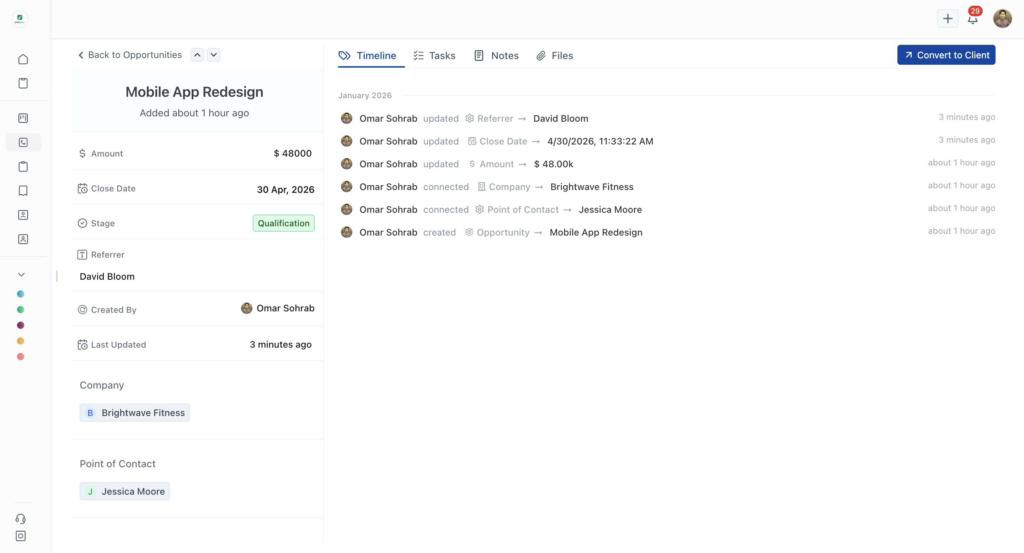
An opportunity represents a specific sales deal you’re pursuing. It’s not just a contact or a company – it’s an actual potential project with revenue attached.
What opportunities store:
- Deal name (e.g., “Website Redesign – BlueSky Marketing”)
- Amount (dollar value of the deal)
- Stage (where it is in your sales process)
- Close date (when you expect to win or lose)
- Owner (team member responsible)
- Custom fields specific to your sales process
When to create an opportunity: You have a specific conversation about paid work. Not just “they might need something someday” but “we’re discussing this actual project.”
Example: Jessica Moore from Brightwave Fitness reaches out about redesigning their mobile app. That’s an opportunity – a specific project worth $48,000.
Companies #
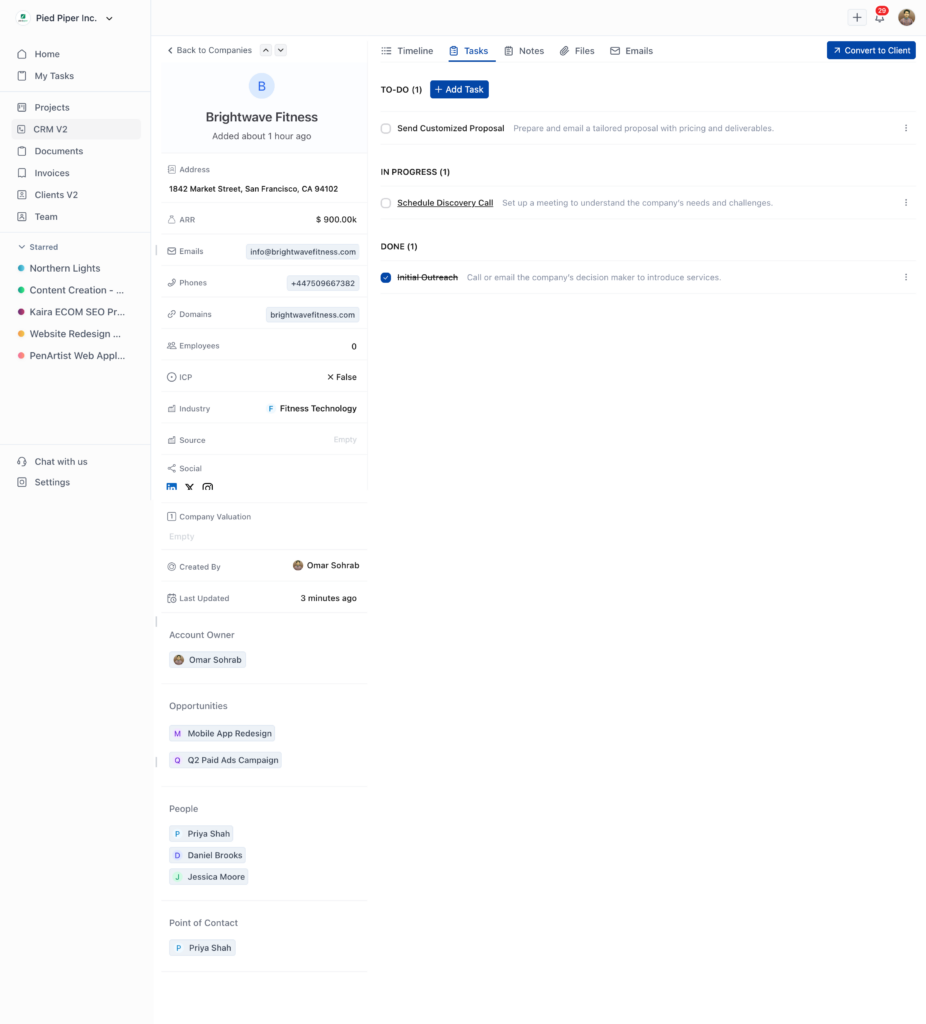
mpany is an organization you’re working with or pursuing. It stores business-level information that doesn’t change with individual deals.
What companies store:
- Company name and domain
- Industry and source
- Multiple email addresses and phone numbers
- Annual recurring revenue (ARR)
- Employee count
- Whether they match your ideal customer profile (ICP)
- Custom fields for company-level data
When to create a company: You’re working with or pursuing an organization (not a solo individual). Even if you only know one person there, create the company record if they work for a business.
Example: Brightwave Fitness is a company in the Fitness Technology industry. They have multiple people working there and multiple projects in progress.
People #
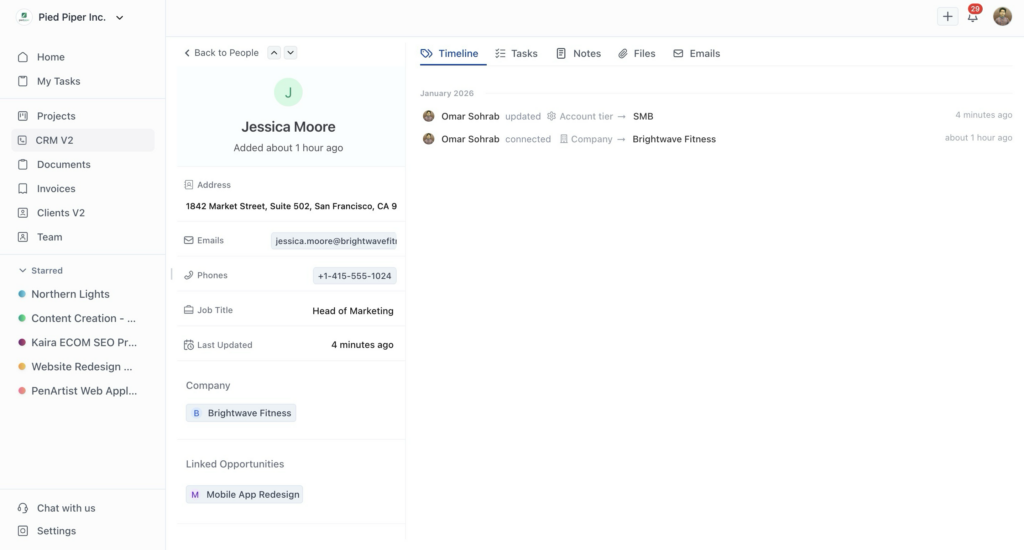
People are individual contacts. These are the actual humans you email, call, and meet with.
What people store:
- Name and job title
- Email addresses and phone numbers
- Social media profiles (LinkedIn, Twitter, etc.)
- Physical address
- Which company they work for (if any)
- Custom fields for contact-level data
When to create a person: You have an individual contact. They might work at a company or be a solo freelancer. Either way, you need their personal contact information.
Example: Jessica Moore is the Head of Marketing at Brightwave Fitness. She’s a person record linked to the Brightwave Fitness company.
Two Ways to Structure Your CRM #
You don’t always need all three record types. OneSuite is flexible based on who you’re working with.
Scenario 1: Working with Solo Professionals #
When: You’re working with freelancers, consultants, or individual service providers.
What you create:
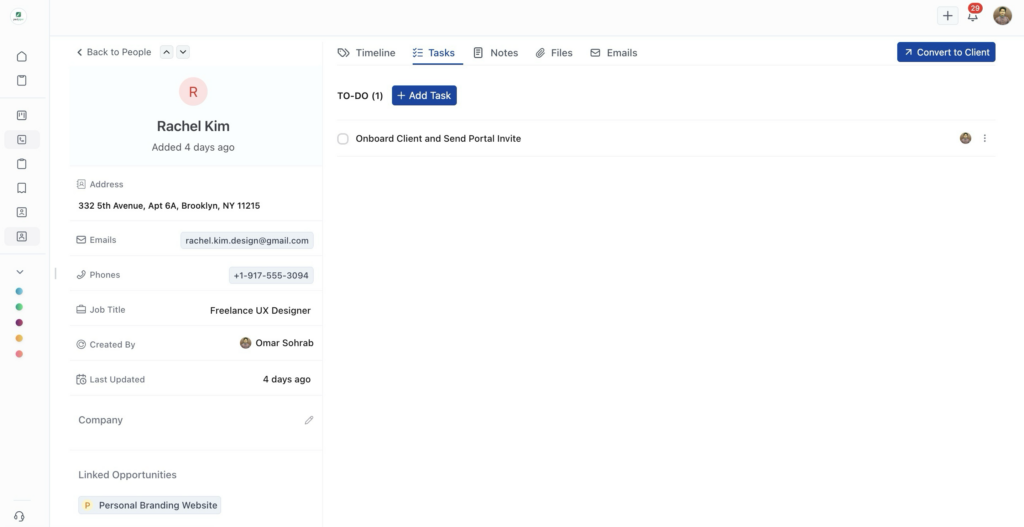
- Person – Rachel Kim, Freelance UX Designer
- Opportunity – “Website UX Redesign” for $8,500
- Link the opportunity to Rachel as point of contact
No company needed. Rachel is the business. When you convert this opportunity to a client, it becomes an Individual client.
Scenario 2: Working with Businesses (Standard B2B) #
When: You’re working with companies that have multiple employees.
What you create:
- Company – Brightwave Fitness
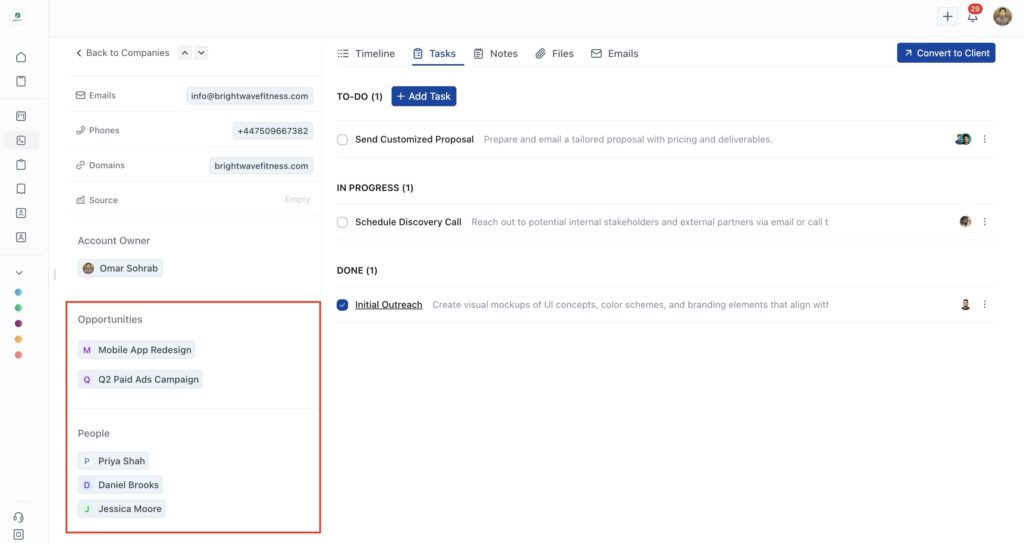
- People – Priya Shah (Product Manager), Daniel Brooks (CEO), Jessica Moore (Head of Marketing)
- Opportunities – “Q2 Paid Ads Campaign” with Priya as point of contact, “Mobile App Redesign” with Jessica as point of contact
This is the standard agency scenario. Businesses have multiple employees. You might work with different people on different projects, but they all work for the same company. When you convert an opportunity to a client, it becomes a Company client.
The Standard B2B Agency Scenario
Most agencies work business-to-business. Here’s how the structure typically works:
Company: Brightwave Fitness #
A fitness technology company. They’re one organization with multiple employees.
Multiple Employees: #
- Priya Shah – Product Manager
- Daniel Brooks – CEO
- Jessica Moore – Head of Marketing
Multiple Projects: #
- Q2 Paid Ads Campaign ($18,500) – Point of contact: Priya Shah
- Mobile App Redesign ($48,000) – Point of contact: Jessica Moore
Why This Structure Matters: #
Track the relationship, not just the deal. You’re building a relationship with Brightwave Fitness (the company), not just with individual people. Today you work with Priya. Next month you might work with Daniel on something different.
See the complete picture. When you open Brightwave Fitness, you see all contacts, all opportunities, all history. You understand the full relationship.
Avoid duplicate outreach. When Priya and Jessica both work at Brightwave, you know it. You don’t accidentally pitch the same service twice.
Forecast accurately. The Q2 Ads Campaign and App Redesign are separate deals with separate stages and values, but they both contribute to your relationship value with Brightwave.
How Linking Works
Standard B2B Linking #
Company: Brightwave Fitness
   ↓
People: Priya Shah, Daniel Brooks, Jessica Moore
   ↓
Opportunity 1: Q2 Paid Ads Campaign → Point of contact: Priya
Opportunity 2: Mobile App Redesign → Point of contact: Jessica
Each opportunity links to the company and designates which person is the point of contact for that specific deal.
Solo Professional Linking #
Person: Rachel Kim (Freelance UX Designer)
   ↓
Opportunity: Website UX Redesign → Point of contact: Rachel
No company. The opportunity links directly to the person.
Point of Contact Explained
Every opportunity needs a point of contact – the specific person you’re communicating with about that deal.
In the B2B Scenario: #
Brightwave Fitness has three employees in your CRM. You’re working on two projects:
- Q2 Ads Campaign uses Priya as point of contact (she’s managing the marketing initiative)
- Mobile App Redesign uses Jessica as point of contact (she’s leading the app project)
Same company. Different contacts. That’s normal. Companies have different people handling different initiatives.
In the Solo Professional Scenario: #
Rachel Kim is working with you on a website redesign. Rachel is the point of contact. There’s nobody else to contact – she’s the business.
Common Questions #
Can I add a company later?
Yes. Start with a person, add the company when you learn they work for one.
Can I have a company with no people?
Yes. Add people as you identify contacts.
Do I need to fill in all company fields?
No. Company name is required. Add other details as you learn them.
Can someone work at two companies?
Each person links to one company. This covers most real-world scenarios.
Can I convert multiple opportunities separately?
Yes. Win the Ads Campaign but lose the App Redesign? Convert only what you won.