
People are the individual contacts you communicate with during your sales process. Every person you email, call, or meet with should have a record in your CRM.
In this guide you’ll learn:
- Two ways to add people
- Required and important fields
- Linking people to companies & Opportunities.
When to Create Person Records
Create a person record when you have a specific individual you’re working with. This includes decision makers at companies, solo freelancers, or anyone you’re discussing potential work with.
How to Add a Person
- Click CRM in the left sidebar
- Click the People tab at the top
- Click Add New in the top left corner
- Add the name and email. The people’s record will be saved automatically.
- Click the name, it will take you to the person’s details. Fill in their information.
Required and Important Fields
Required
Name – Full name as they present it. Use “Jessica Moore” not “Jessica” or “J. Moore”
Important Optional Fields
Emails – Email addresses. Add multiple if they have work and personal emails. Click the + button to add more.
Phones – Phone numbers. Add multiple (office, mobile). Click the + button to add more.
Designation – Job title. Examples: “Head of Marketing”, “Product Manager”, “CEO”
Company – The organization they work for. Search and select from existing companies, or leave blank for independents.
Additional Fields
Country – Location
Social – LinkedIn, Twitter, or other profiles
Address – Physical address if needed
Linking People to Companies
When creating a person, you can link them to a company if they work for one.
Linking People to a Company
When creating a person, you can link them to a company if they work for one.
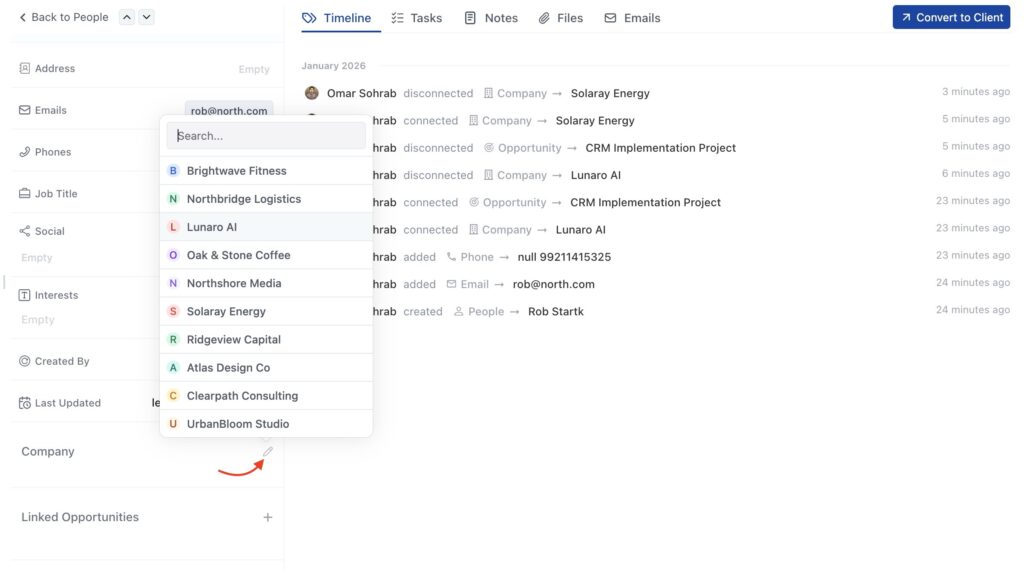
- Click in the Company field
- Start typing the company name
- Select from the dropdown list that appears
Linking People to Opportunity
When creating a person, you can link them to a company if they work for one.
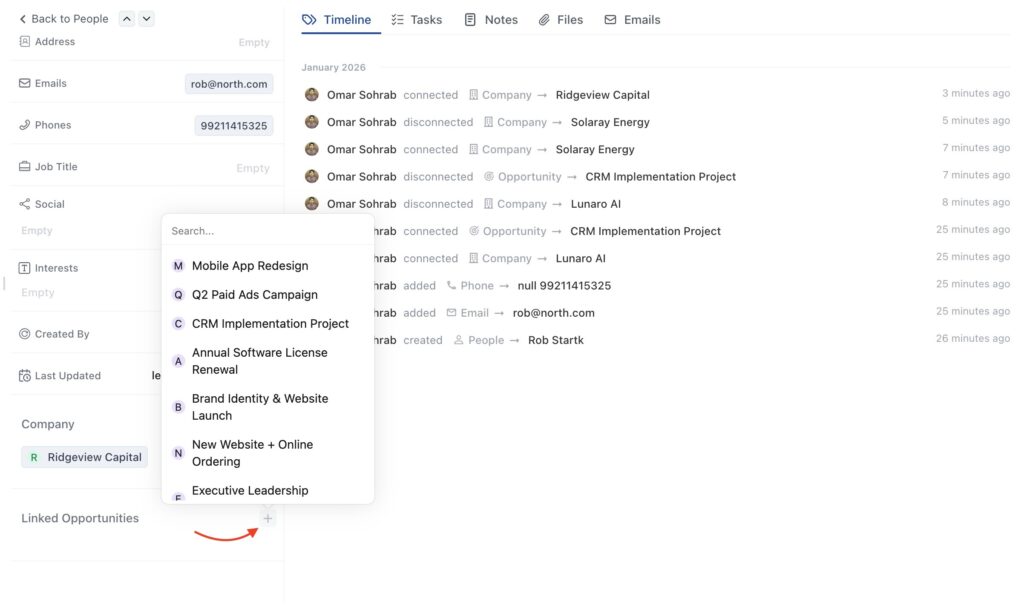
- Click in the Company field
- Start typing the company name
- Select from the dropdown list that appears
Quick Tips
- Use full names – “Jessica Moore” helps with search, “Jessica” doesn’t
- Add emails immediately – You need them for communication tracking
- Include job titles – Helps identify decision makers quickly
- Search before creating – Use the search bar to check if they already exist
- Link companies carefully – Make sure you select the correct company from the dropdown
- Create companies first – If someone works at a company, create that company before creating the person. Makes linking easier.